mobile APP DESIGN
Piatrika Bio Systems
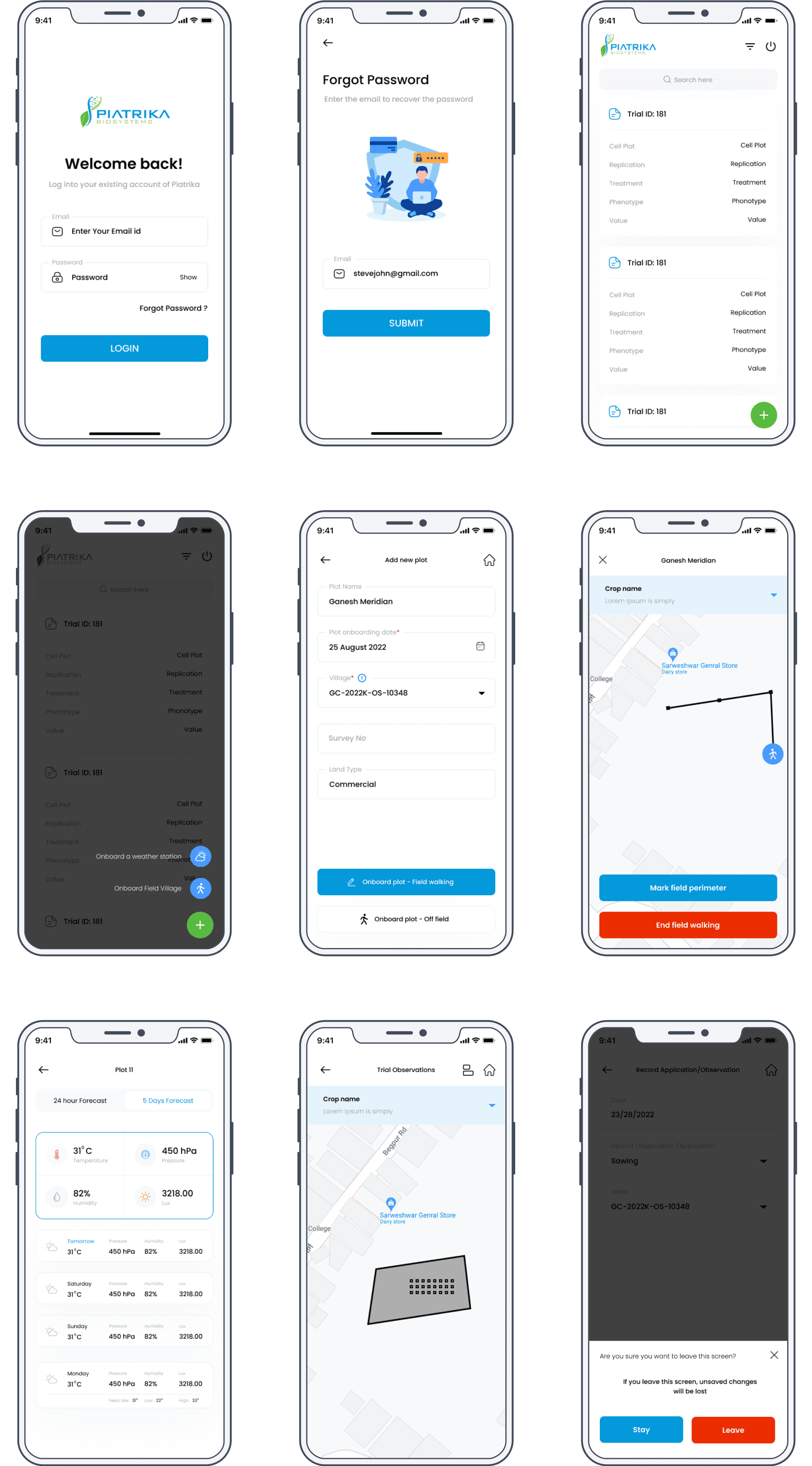
Piatrika Biosystems is a mobile application designed to provide agronomists and farmers with a platform to manage agricultural trials effectively. The app offers features like tracking trial IDs, cell plots, treatment data, phenotypes, and more. It allows users to add new plots, onboard weather stations, track field walking activities, and record observations and collections for different crop types.
Piatrika Bio Systems
Piatrika Biosystems is a mobile application designed to provide agronomists and farmers with a platform to manage agricultural trials effectively. The app offers features like tracking trial IDs, cell plots, treatment data, phenotypes, and more. It allows users to add new plots, onboard weather stations, track field walking activities, and record observations and collections for different crop types.
Piatrika Bio Systems
Piatrika Biosystems is a mobile application designed to provide agronomists and farmers with a platform to manage agricultural trials effectively. The app offers features like tracking trial IDs, cell plots, treatment data, phenotypes, and more. It allows users to add new plots, onboard weather stations, track field walking activities, and record observations and collections for different crop types.

Project Type
UX/UI Design
Tech Stack
Figma, Notion, Miro, Zoom,
Adobe illustrator, Adobe Photoshop
My Role
UX Designer & Researcher
Stakeholder / Client
Piatrika Bio Systems
Time Duration
2 Months
Project Goal and Objective
To create an intuitive, user-friendly mobile application for agronomists and farmers that allows them to track and manage agricultural trials with ease, and to support decision-making with real-time data.
Challenges
Presenting complex agricultural data in an accessible manner.
Simplifying the process of entering and retrieving trial information.
Enabling on-the-go management of trials and plots.
75%
Improved Navigation Process
50%
Increase in user retention
84%
Increase in time spent on application


Design Process
Research & Analysis: We conducted user interviews, surveys, and analyzed in-app analytics to understand the pain points and user needs. We also studied competitor apps and industry trends to gather insights
Information Architecture: Based on the research findings, we restructured the app's navigation and content, prioritizing features and information according to user needs.
Wireframing: Initial sketches were created to outline the basic layout and features of the app.
Prototyping: High-fidelity prototypes were developed using Figma, which were then tested with users for feedback.
Usability Testing: We conducted usability tests with a diverse group of users to validate the design and identify areas for improvement. Based on the feedback, we made necessary adjustments to the design.
Visual Design & Style Guide: We developed a cohesive visual language, including color schemes, typography, and iconography, ensuring consistency throughout the app. We also created a style guide to maintain design consistency in future updates.
Key Features
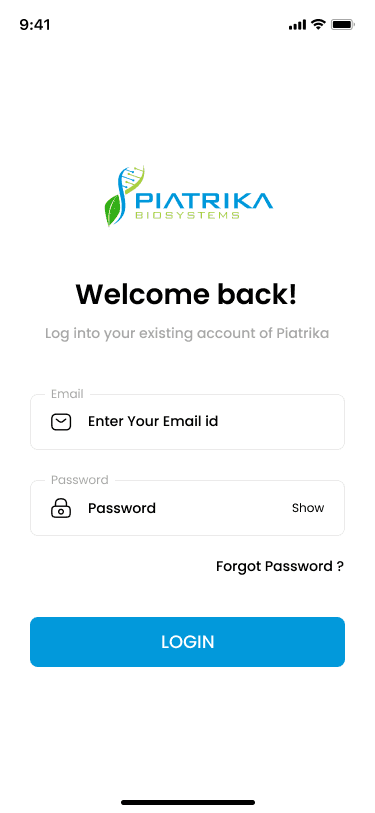
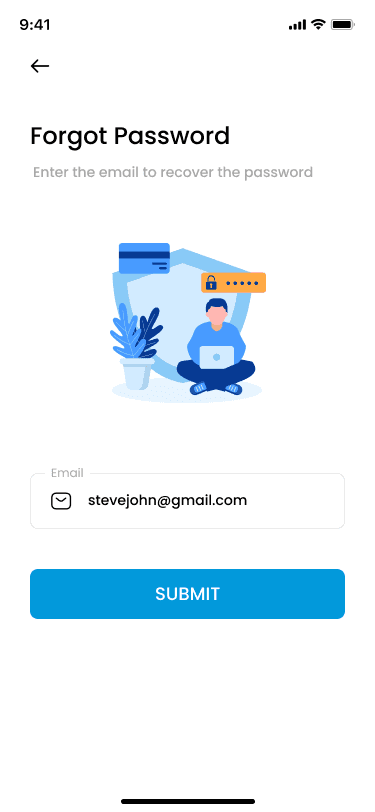
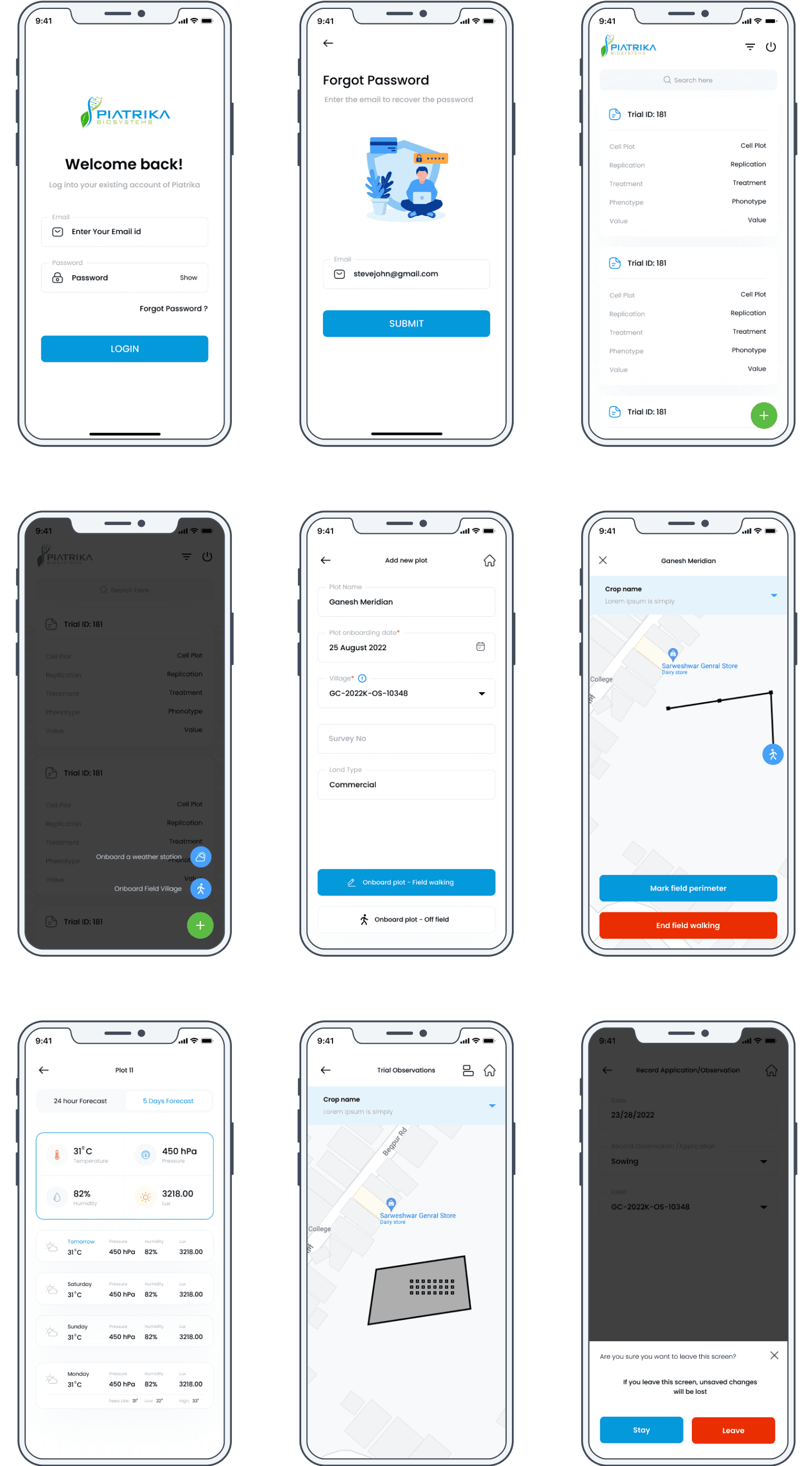
Login/Authentication: A secure login system that uses email and password for account access.
Home Screen: A dashboard that provides an overview of ongoing trials and easy navigation to various features.
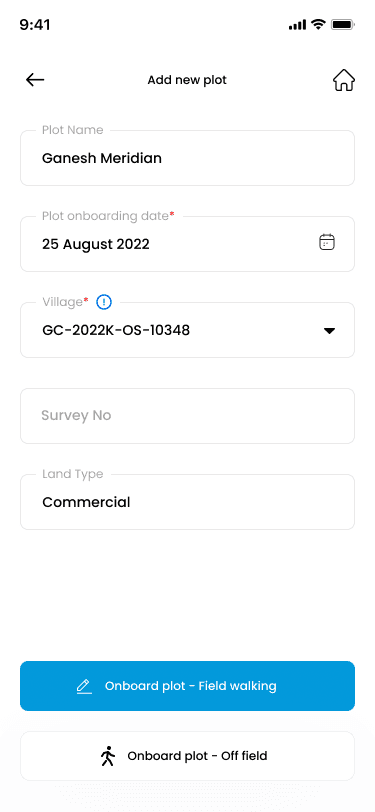
Plot Management: Users can add new plots and onboard them with detailed information like plot name, onboarding date, and land type.
Weather Station Onboarding: Farmers can set up and configure weather stations, crucial for monitoring environmental factors affecting crops.
Field Walking: The app offers a feature for marking the field perimeter and starting field walking, which is essential for ground truthing the data collected.
Trial Observations: Users can manage their observations by plot, add new observations, and edit or delete existing ones.
Data Collection and Recording: The app allows users to record various types of data collections, like grain type and yield, with options to add new collections.
Target Outcomes
A significant reduction in the time users spend managing trial data and increased satisfaction with the process.
Improved crop outcomes as a result of more informed decision-making.
UI Design
Conclusion
In conclusion, the UX case study for Piatrika Biosystems has uncovered significant insights into the design and functionality of an application tailored for the agricultural and biosystems industry. The user research indicated a clear demand for an efficient and intuitive platform that would streamline agricultural trial management and provide vital real-time environmental data for informed decision-making.
This case study reflects a journey of continuous learning and adaptation, emphasizing the need for a collaborative approach to design, one that involves users every step of the way. As we look ahead, Piatrika Biosystems is poised to not only impact the daily operations of agricultural professionals but also contribute to the larger goal of sustainable and efficient agricultural practices worldwide.
Project Type
UX/UI Design
Tech Stack
Figma, Notion, Miro, Zoom,
Adobe illustrator, Adobe Photoshop
My Role
UX Designer & Researcher
Stakeholder / Client
Piatrika Bio Systems
Time Duration
2 Months
Project Goal and Objective
To create an intuitive, user-friendly mobile application for agronomists and farmers that allows them to track and manage agricultural trials with ease, and to support decision-making with real-time data.
Challenges
Presenting complex agricultural data in an accessible manner.
Simplifying the process of entering and retrieving trial information.
Enabling on-the-go management of trials and plots.
75%
Improved Navigation Process
50%
Increase in user retention
84%
Increase in time spent on application
Design Process
Research & Analysis: We conducted user interviews, surveys, and analyzed in-app analytics to understand the pain points and user needs. We also studied competitor apps and industry trends to gather insights
Information Architecture: Based on the research findings, we restructured the app's navigation and content, prioritizing features and information according to user needs.
Wireframing: Initial sketches were created to outline the basic layout and features of the app.
Prototyping: High-fidelity prototypes were developed using Figma, which were then tested with users for feedback.
Usability Testing: We conducted usability tests with a diverse group of users to validate the design and identify areas for improvement. Based on the feedback, we made necessary adjustments to the design.
Visual Design & Style Guide: We developed a cohesive visual language, including color schemes, typography, and iconography, ensuring consistency throughout the app. We also created a style guide to maintain design consistency in future updates.
Key Features
Login/Authentication: A secure login system that uses email and password for account access.
Home Screen: A dashboard that provides an overview of ongoing trials and easy navigation to various features.
Plot Management: Users can add new plots and onboard them with detailed information like plot name, onboarding date, and land type.
Weather Station Onboarding: Farmers can set up and configure weather stations, crucial for monitoring environmental factors affecting crops.
Field Walking: The app offers a feature for marking the field perimeter and starting field walking, which is essential for ground truthing the data collected.
Trial Observations: Users can manage their observations by plot, add new observations, and edit or delete existing ones.
Data Collection and Recording: The app allows users to record various types of data collections, like grain type and yield, with options to add new collections.
Target Outcomes
A significant reduction in the time users spend managing trial data and increased satisfaction with the process.
Improved crop outcomes as a result of more informed decision-making.
UI Design
Conclusion
In conclusion, the UX case study for Piatrika Biosystems has uncovered significant insights into the design and functionality of an application tailored for the agricultural and biosystems industry. The user research indicated a clear demand for an efficient and intuitive platform that would streamline agricultural trial management and provide vital real-time environmental data for informed decision-making.
This case study reflects a journey of continuous learning and adaptation, emphasizing the need for a collaborative approach to design, one that involves users every step of the way. As we look ahead, Piatrika Biosystems is poised to not only impact the daily operations of agricultural professionals but also contribute to the larger goal of sustainable and efficient agricultural practices worldwide.